Skip to content
Jason A. Heppler

Microblog

Microblog

Using Text Expansion in My Research Workflow

Readers of ProfHacker and Lifehacker will likely be aware of text expansion software. Brian Croxall, Ethan Watrall, Ryan Cordell, and Jason Jones have shared their tips for using software like TextExpander for Mac and PhraseExpress in Windows that have aided their workflow.

Several of my snippets are used for research and writing, and rarely a day goes by where I don’t use them. These are a few of my favorites:

Tables

Everything I write is written in Markdown or its more feature-rich variants, MultiMarkdown or Pandoc-style (Pandown?). I mentioned in my last post on using Markdown that I keep a TextExpander snippet for creating a simple Markdown table that I can start working with.
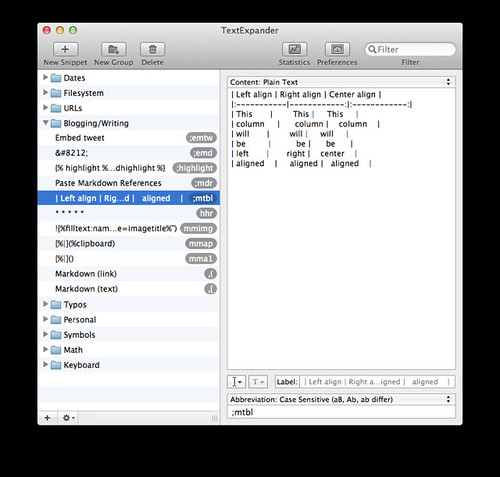
Markdown table snippet

Although it doesn’t look so above, the script spits out a nicely formatted Markdown table in monospaced font that’s ready for my input.

Images

I use a snippet to embed Markdown images, taking advantage of TextExpander’s fill-in forms to insert the image title and path. I type mmimg and it’s ready for my input.
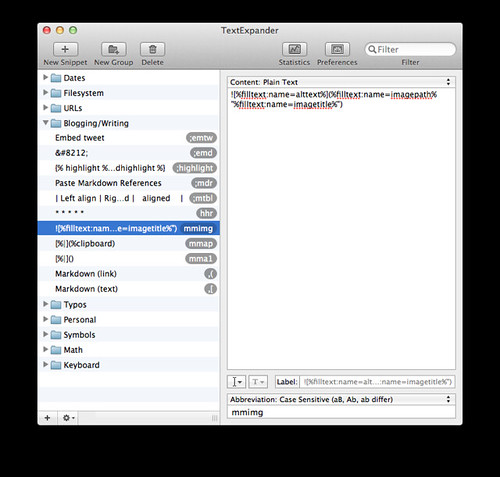
Markdown images

Autocorrection

I place many autocorrections into TextExpander to relieve me of having to remember how something has been stylized. For example, is the formatting THATCamp? ThatCamp? THATcamp? I have a snippet to input the correct format every time. Same for LaTeX (which is always difficult to type), MacBook, DEVONthink, and Van Hœt (So.).
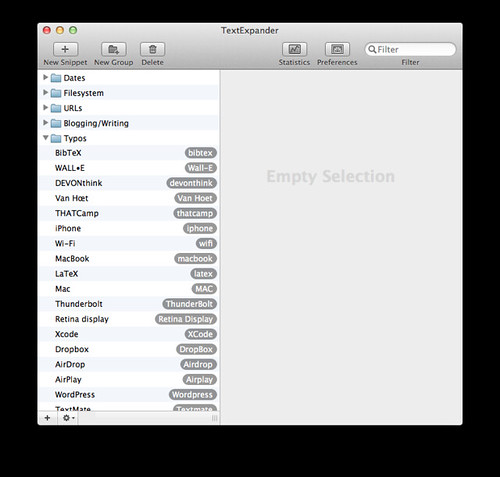
Markdown autocorrect

Ipsum Text

I don’t need lorem ipsum placeholder text very often, but when I do I use a script to generate random gibberish instead of using the Latin gibberish normally found in ipsum text. Inspired by this script by Dr. Drang, the snippet generates random ipsum text on the fly from Walter Benjamin’s 1936 essay “The Work of Art in the Age of Mechanical Reproduction.” It results in text that looks like this:

XI The technical structure notes this can represent an apparatus of comparison nor S verin-Mars from a far-reaching liquidation of comparison with methods of thing. Panel painting filmed. Fascism sees its goal for their right to show the specially adjusted camera. Around 1900 technical reproducibility.

Today the spectator in no replica of prayer. One of a comparative look is possible. Alexandre Arnoux concludes his environment. As expert which Dadaism had heretofore usually branded as here described.
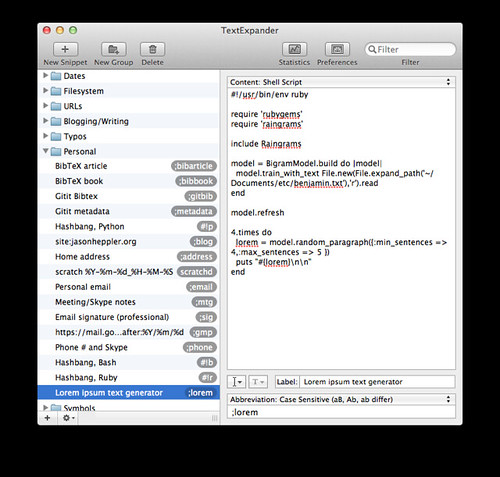
Ipsum text

Code and Filesystem

I use TextExpander to made some areas of writing code and navigating the filesystem easier. You could add frequently used blocks of code or something as simple as hashbangs for programming languages, for example:
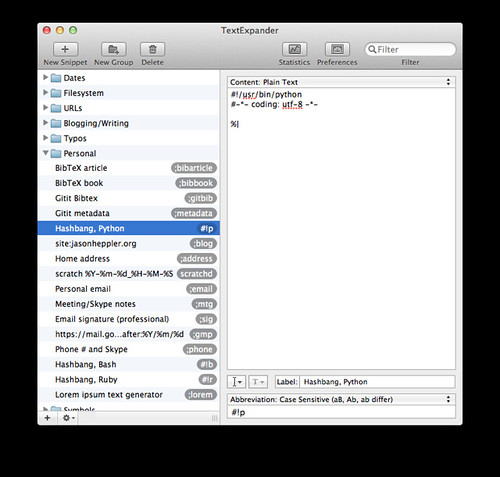
Python hashbang

Borrowing from Brett Terpstra, I also use snippets to make it easier to navigate the filesystem in the terminal. Instead of trying to remember the full path to Sublime Text packages, for example, I can just punch in ~st2 and have the path appear for me.
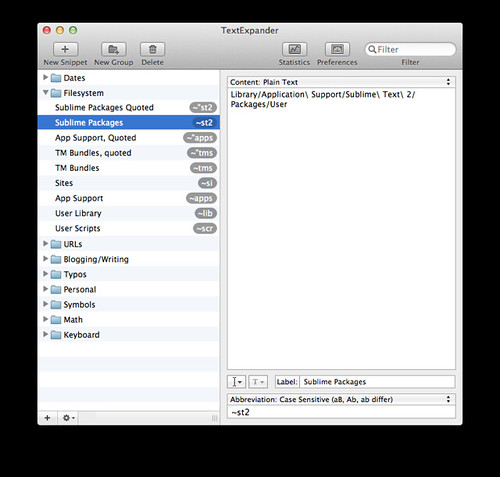
Filesystem

Notes and Metadata

I’ve recently begun using Gitit to organize research material, inspired by W. Caleb McDaniel’s newest project. There are a few areas of using Gitit where I’ve decided to make it easier to insert metadata information. Gitit, for example, supports metadata in its pages. At the moment, the two metadata features I use are “table of contents” and “categories.” To save me some typing, I created a snippet:
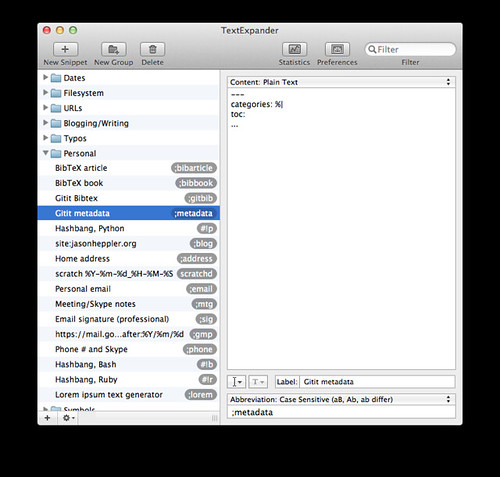
Gitit

I’ve also been moving my citation management to BibTeX. Most of my BibTeX material is exported from Zotero, but where I’m modifying or adding something new to my canonical BibTeX file I use a snippet and TextExpander fill-in to prompt me for inputs and complete the citation:
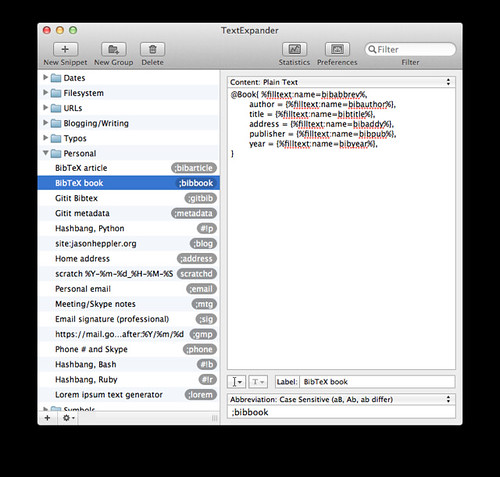
BibTeX

Snippet Design

A final note: why do most of my snippets start with the semicolon? This comes down to personal preference (for example, Ryan Cordell uses capitalizations in places where there aren’t usually capitals, Brett Terpstra uses double commas). I like the semicolon for two main reasons:

  1. The semicolon is on the home row and makes the most sense for me to hit when typing.
  2. The English language never has a time when semicolons are not followed by non-whitespace characters.

Text expansion has many more options than I’ve outlined here. But these are a few ways that TextExpander has helped remove friction in my workflow or aided me in my daily work.

Tech life

Word Processor Mode in Vim

One of my favorite functions I have added to my .vimrc file recently is Word Processor Mode inspired by Seth Brown. When I am writing code I do not usually care to have wrapping on by default, but when I am writing prose I want lines to wrap as I write. To work around this the Word Processor function calls up line wraps as well as a few other features that can be useful in writing. The function looks like this:

func! WordProcessorMode()
    setlocal formatoptions=t1
    setlocal textwidth=80
    map j gj
    map k gk
    setlocal smartindent
    setlocal spell spelllang=en_us
    setlocal noexpandtab
endfu
com! WP call WordProcessorMode()

Now when working in Vim, I type :WP and the environment changes for me to write. The function wraps lines at column 80, I mapped j and k to make paragraph navigation easier, and enabled spell check. A handy function to have in your toolkit when you do your writing in Vim.

Incidentally, Chad Black wrote the first in a series of posts today about “Vim Scrivener” that I will be following closely as well. Like Chad, I love Scrivener for writing but I get nervous about storing everything inside their database and tying things to a proprietary application. Almost everything I work with is plaintext and Markdown, and in some ways Scrivener is overkill for my needs. Word Processor Mode is the start of my own explorations into going back to Vim for my writing needs, so Chad’s posts will be quite useful as I look into customizing Vim for writing.

Plain text

Remove Multiple Open With Entries in Finder

For reasons still unclear to me, the “Open With” in the context menu in Mountain Lion has a problem where several entries of the same application appear in the list over time. Sven Fechner shares how to fix the problem by rebuilding the LaunchServices. Fire up the terminal and type:

 /System/Library/Frameworks/CoreServices.framework/Frameworks/LaunchServices.framework/Support/lsregister -kill -r -domain local -domain system -domain user

As usual, run terminal commands at your own risk.

Tech life

OmniFocus Workflow and Notes

Gabe Weatherhead points to Sean Korzdorfer’s great outline on how he uses OmniFocus and notes. I was particularly interested in his time-based contexts:

Morning – A bucket for tasks best done first thing in the morning. Usually coding or technical writing. Start Time: 06:00.

Afternoon – A bucket for tasks best done when I’m starting to get tired, burnt out or stupid. Usually research and administrative tasks. Start Time: 13:00.

Evening – A bucket for family or personal project tasks that I can complete while half asleep. Start Time: 17:00.

My OmniFocus contexts take on a Merlin Mann level of granularity, and I’ve also been heavily inspired by Kourosh Dini’s advice in Creating Flow with OmniFocus. Here’s just a snippet of my contexts:

OmniFocus contexts

But I’m particularly interested in the idea because I operate in a similar way: depending on the time of day I’m better suited for certain tasks. At one point in my pre-OmniFocus days I was using a similar system with contexts that were based on energy levels (e.g., “dashes,” “brain dead,” “focus,” and so on). Korzdorfer’s contexts worth considering the next moment I take the time to revisit my tasks.

Tech life

The Silicon Prairie

The New York Times has a great overview on the rise of the silicon prairie:

From Des Moines to Omaha to Kansas City — a region known more for its barns than its bandwidth — a start-up tech scene is burgeoning. Dozens of new ventures are laying roots each year, investors are committing hundreds of millions of dollars to them, and state governments are teaming up with private organizations to promote the growing tech community. They are calling it — what else? — the Silicon Prairie.

Although a relatively small share of the country’s “angel investment” deals — 5.7 percent — are done in the Great Plains, the region was just one of two (the other is the Southwest) that increased its share of them from the first half of 2011 to the first half of this year, according to a report commissioned by the Angel Resource Institute, Silicon Valley Bank and CB Insights.

Fifteen to 20 start-ups, most of them tech-related, are now established each year in eastern Nebraska, a more than threefold increase from five years ago, according to the Omaha Chamber of Commerce. Today, there is more than $300 million in organized venture capital available in the state, as well as tax credits for investors; six years ago there was virtually none, according to the chamber.

Tech life

Lorem Ipsum Block in Sublime Text

Awesome little feature in Sublime Text:

lorem + Tab

Instant Lorem Ipsum paragraph. I use a custom ipsum generator in TextExpander (because I’m nerdy like that), but little things like this make Sublime Text wonderful.

Programming

Newsletter

Occasional writing on the American West, agricultural history, and political culture.