Skip to content
Jason A. Heppler

Microblog

Microblog

Restoring Old Digital History

If there’s one thing I’ve come to appreciate about generative AI, it’s the ability to automate routine things. One of my digital history sites—the first one I ever made—broke at some point. It’s an old site that really should’ve always been a static site, but static site generators were not quite a thing when I first made this project. Instead, I had a mix of HTML and PHP that assembled the site.

So a few weeks ago, I posed Claude a task: take this site and convert it into Hugo. That work finished within an hour—a task that most certainly would’ve taken me a few weeks to work through, and much of that work pretty tedious. I’ve since had Claude’s help in converting all of my digital history projects into Hugo sites. They’re now easier to maintain, easier to deploy (I’ve moved all of my sites to Cloudflare, which deploys from a GitHub commit), and should stick around a lot longer.

Here are the sites I’ve updated in the past month.

Framing Red Power

A companion website I created for my Master’s thesis, Framing Red Power sought to analyze media coverage of the Trail of Broken Treaties protest in 1972 that culminated in Indigenous activists occupying the Bureau of Indian Affairs. With Claude’s help I fixed up a number of things.

First, the site had completely broken and was only providing unstyled HTML. As part of the Hugo conversion, I asked Claude to also add in a modern CSS framework and slightly modernized the design. The site, otherwise, remains exactly the same as it did when I launched it in 2009.

The other big fix was to reconstitute text analysis tools that stopped working ages ago. At one point Brian Pytlik Zillig at the Center for Digital Research in the Humanities had developed a tool called TokenX (for example) for running text analysis and building visualizations, but it’s been offline for quite some time. So, I rebuilt the text analysis section of the site with Observable and recreated some of the visualizations that I’d long lost. I also updated the map interface, which once relied on Google My Maps but now is self-contained using Leaflet. I created a methodologies page about creating these visualization as well.

I consider Framing Red Power a completed research project.

“Self-sustaining and a good citizen”: William F. Cody and the Progressive Wild West

I was once the project manager for the William F. Cody Archive and a research affiliate with the Buffalo Bill Center of the West as Doug Seefeldt, Frank Christianson, Jeremy Johnston, and a few of my graduate school colleagues aimed to launch Cody Studies to examine the life and legacy of William F. Cody. In this role I pursued research on Indigenous peoples employed by his Wild West exhibition, resulting in the project above. I argued that while other scholars have suggested that employment with Cody allowed Indigenous peoples to continue practicing in cultural and religious traditions otherwise outlawed on reservations, Cody saw his exhibition nevertheless as a potential vehicle for the Progressive project of “civilizing” Native Americans.

The first step here was getting the site converted to Hugo from Jekyll, which was pretty straightforward. The bigger task was to update a section of the site I called a concept map of narrative themes: a way of visualizing annotations across primary sources that served to collect together pieces of evidence that drove my argument. Here’s the kicker, though: this piece of scholarly work was two parts, where annotations existed in the transcribed sources and then the visualization was a hand-coded HTML page of those annotations. Nothing was automated, although that was always the idea; it was a tremendous amount of work.

Hugo, however, has allowed me to finally automate this visualization. With Claude’s assistance, I replaced all my hand annotations with Hugo shortcodes that handled the annotations in the documents and allowed me to derive that data via a Python script. I finally made this work the way I’d always wanted to (at the time I’d played with ideas of using XML and XSLT but never fully got around to it, thankfully). This has been a tremendously helpful thing to have.

The site currently exists exactly as it did when I published it in 2012, but I am returning to this project as I do fresh research. Having it in Hugo will make new additions much easier.

Machines in the Valley

Machines in the Valley is a companion website to my book. This one I hand-converted from Jekyll to Hugo myself a couple of years ago, but did turn to Claude recently to just have it do a once-over on the design and CSS work (which did fix a few things that I’d broke).

When I converted this to Hugo in 2024 right as my book was published, I’d moved the CSS from Bootstrap to Tailwind in addition to getting things into a new static site generator. Doing that work also meant some slight layout changes that helped let the visualizations take over the browser window in a way that I felt gave readers a better viewport for working with the visualizations. I also took the time to clean up a few visualizations and create two new ones based on data I’d collected but never got around to publishing.

I consider this project done.

What Is Digital Humanities?

The most popular thing I’ve ever made, which takes definitions from past Day of DH events and presents a random definition each time you visit the page or ask for a new definition. Perpetual answers to the perpetual question, as I say.

No real updates here from coding agents, just a note that a few years ago I rewrote some of the randomization scripts and added a button refresh to get new definitions on demand. This, also, is on Cloudflare now. I guess this project is done?

JasonHeppler.org

While we’re at it, I’ll reiterate that I’ve migrated this website to Cloudflare in addition to a pretty major code audit.


These updates weren’t just about tidying up or fixing old projects, though—they’re about the broader challenge of keeping digital work alive. Part of my interest here is related to my work at RRCHNM—we have, after all, thirty-plus years of projects and some subset of those projects are ones we are committed to sustaining. Among the hats I wear at the Center, one is aiding with our sustainability work. As part of that effort we’ve tried to make sites static so they remain accessible and usable: some of those are simple wget workflows that we lightly clean up and serve, but others are entire conversions from something database-driven like Omeka or Wordpress to Hugo.

I want my digital history work to stick around, and plain old HTML is the most sustainable format we currently have for the Internet. Getting these old projects into a more modern shape feels great.
Digital history

Vibing Digital History

One thing I’ve been thinking about is a persistent critique—one I’ve expressed myself and think is completely valid—that code generated by Claude or Codex immediately becomes technical debt. That is, it’s tantamount to producing spaghetti or legacy code that you cannot understand because you did not write it (which, of course, is a similar concern I have about generative AI producing things like historiographical essays).

But as my pal Lincoln Mullen just wrote, the barrier to entry for most things we do in digital history—building websites, creating maps, designing data visualizations, preparing data—can be reduced considerably. I’ve spent my career building these kinds of skills to do this kind of work, and now a machine can do them in a fraction of the time it takes me.1 Here’s an example.

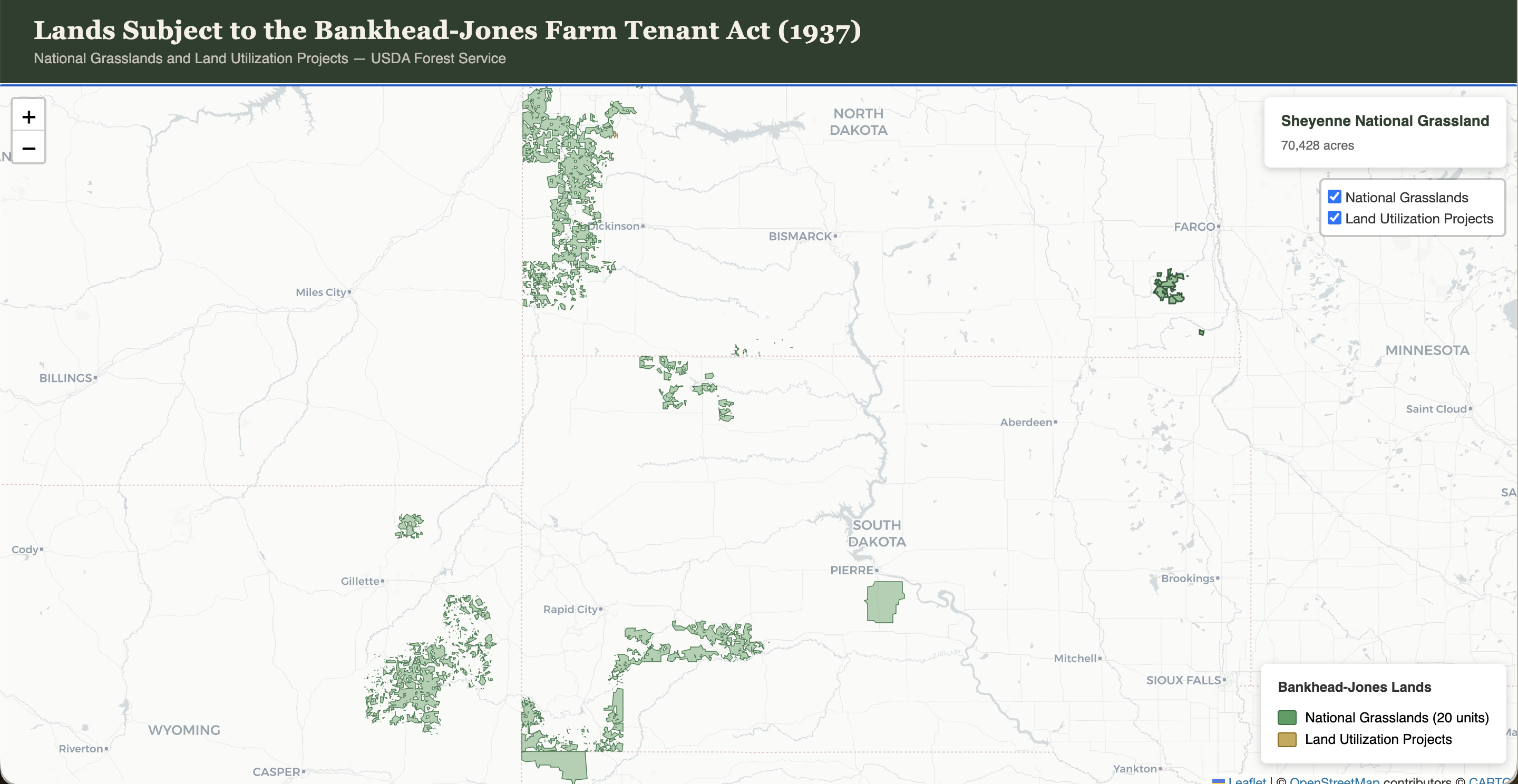
I am in the throes of a research project for a book on the politics around land, agriculture, environmentalism, and land management on the Great Plains. It occurred to me recently that I need to stretch my timeline backwards a bit to the Bankhead-Jones Act of 1937. I’ll save a fuller history for some other time, but in short: Bankhead-Jones empowered the federal government to purchase just over 11 million acres of farmland deemed “submarginal.” The administration of the program traveled from the Bureau of Agricultural Economics until 1938, to the Soil Conservation Service until 1953, to the U.S. Forest Service which continues the administration of these lands today. Importantly, however, this established a federal presence across a region that had been almost entirely in private hands.

I wanted to see these lands, in part because one thing that’s complicated about writing this regional history I’m working on is the quilted patchwork of public and private land ownership and management that happens on the grasslands. So I asked Claude: without any input from me, find the data and make this map. It took about fifteen minutes.

Map of land subject to the Bankhead-Jones Farm Tenant Act of 1937

Here’s the interactive version. This is the kind of thing I’ve been building for years—an interactive map of data to understand more clearly how something worked or influenced a place. A map of this nature would’ve taken me, at best, half a day: finding the data, doing any data formatting necessary for a web map, making the website, making the map filterable or interactive. Claude did everything with no input from me in fifteen minutes.2

Generative AI is really bad at doing history. But it can enable me to do good history.


Back to technical debt. In something like this I think it matters a lot less about whether I know how this was made. First, the code is small enough that it’s easy for me to know what it did. And, frankly, generative AI (given the right prompts) is very disciplined about documenting code. Second, this isn’t a big system. If I were working on software for a bank, a large Internet service company, or Apple, that’d be one thing—I think the time investment perhaps doesn’t pay off as well because you need to really pay attention to what coding agents are doing.3

The point here is that if these tools are enabling a software developer with a decade of experience in digital humanities to create things in a fraction of the time it once took, then these tools are phenomenally empowering for someone just starting out or with almost no coding experience at all. In this case I think there really isn’t a debt: it’s a small or one-off visualization, not a complex system. Rather than a debt, this is an investment in one’s intellectual work. The rote or routine work can free up your time to focus on the history rather than the technology. Not to speak for my fellow digital historians, but I think that’s been the point this whole time: the technology was a means to an end—of doing new kinds of history that we couldn’t do (at least, not as easily) without digital tools. Generative AI has shifted this considerably.


  1. I find this predicament both humbling but also exhilarating. If doing less of the heavy tech work means I can do more of the history work, I think that’s a great leap in the right direction. ↩︎

  2. If I intend to do more with this map I’d probably take over the design work on this since I like doing that sort of thing. But the routine work of setting up the map and data means I can move on to things more intellectually satisfying. ↩︎

  3. Coding agents are good, but not great. I still frequently catch things from unused variables it assigned to more efficient ways of achieving a solution. The agents still tend to be rather boilerplate in their solutions—but that’s not always a bad thing. ↩︎

Artificial intelligence

The Obsidian-Hugo Workflow

I wanted to jot down my current workflow for this website. I mentioned in my recent post on the redesign of this site that I have a new workflow in place where I can do everything right from the comfort of Obsidian. To get this to work I had a few things to set up first.

While the following might seem slightly complicated (and certainly it is more techy than just running a WordPress website), it’s really just three pieces: an Obsidian vault that just opens my Hugo folder; GitHub for the files; Cloudflare for the deployment and hosting.

Obsidian → GitHub → Cloudflare

Setting up the Vault

To get this system to play nicely with Hugo, I had a few things to adjust. In settings:

  1. Under Files and Links, toggle off wikilinks so you can use standard markdown links.
  2. The New link format should be set to “Path from current file.”
  3. Install the Git plugin. Make sure git is active in your site’s folder.
  4. I use Hugo page bundling to keep images with posts (and take advantage of Hugo’s image processing should I need it). In Obsidian, I set the Default location for new attachments to “Same folder as current file” to make this work.

To keep git (and Hugo) happy, .obsidian/ should be included in your .gitignore. That directory churns constantly and you don’t want git to clobber what’s there. Similarly, adding .obsidian to Hugo’s ignoreFiles configuration means hugo server doesn’t try and constantly render changes in that directory when watching for file changes. If you wanted, you could also exclude some of the other Hugo directories that don’t deal with content. For example, you might set Obsidian to exclude layouts/, assets/, static/, and other Hugo directories from the file browser so the vault feels like a writing environment rather than a code project.

The other change is I had to bulk update all of my tags to use kebab-case since Obsidian doesn’t accept tags with spaces in them. This actually works great: I get the auto-complete of Obsidian so I don’t duplicate tags, and in the front end of Hugo I can still render the tags with spaces in them.

GitHub and Cloudflare

This couldn’t be easier. The Cloudflare integration with GitHub is fantastic. It’s just a matter of setting up Cloudflare Pages and directing it to the correct repository. To build the site I pass hugo as a build command within Cloudflare’s Pages settings. Cloudflare does the rest. And Cloudflare fits with one of my other goals, which was driving down the carbon output of this website. Since Cloudflare is committed to running their systems on 100% renewable energy, this helps my goal considerably.

One of the most satisfying parts of this whole setup is I can publish new posts straight from Obsidian. The Git plugin means I can hit ⌘ + P and choose Git: Commit to prepare a post for deployment, and similarly ⌘ + P and choose Git: Push after a commit to run the actual deployment (or, more simply if I’m just ready for a post to go right away, Git: Commit-and-sync). All from the comfort of my Obsidian vault. No terminals, no rsync, no VS Code.

The slightly scary part of this was moving my DNS records—especially since my email is tied to my domain, I really didn’t want to screw that up. I had to have some conversations with Claude to make sure I understood it all, but it didn’t lead me astray and even helped troubleshoot a mistake I made.

Update: One additional thing I’d meant to mention is each of the components of my website that I update exist as their own Hugo folder. So, essays are inside a /blog/ folder, my shorter notes exist in a /notes/ folder, commonplace in my /links/ folder, and my reading log is in my /books/ folder. The books content is quite simple and, really, only reads the YAML content contained in the markdown files unless I’ve indicated there exists a review inside the file (in which case, a book gets a reviewed tag and either points to the external review or opens the page here on the site to read a review.) Treating my Hugo website folder as an Obsidian vault also means I can access all other other pages: my about page, publications, teaching, and so on are all accessible within Obsidian as well.

Tech life

Computers Can't Surprise

Richard Beard, “Computers Can’t Surprise”:

To escape the dead man’s handle of cliché, readers live in hope for organic associations, speculative leaps and surprise inferences. Whereas, to an AI, which is fed the answer before the question, ‘surprise’ remains an elusive concept.

. . .

An LLM’s calculation of the most likely sequence of words is the least likely way to create great writing. Anyone working at a more emotionally engaged level than statistical probability, genuinely creating new work, has a better chance of resonating with readers, however that affinity is expressed.

. . .

. . . the rest of us can defy AI creep by defending and encouraging the human ambition to make art, unassisted, whether successful or otherwise. Art is an affirmation of human existence, the transmission and reception of messages about encounter and connection. One inner life can touch another and, for best results, nurture a creative process that no LLM can imitate.

I keep coming back to this idea: there are things that generative, agentic systems are very good at. But creativity remains one of the things that will likely never be “solvable” by LLMs because they’re only as good as what they’re trained on. They cannot create new things because, by definition, their outputs are simply probabilistic orderings of words that I described as “sentenced shaped.” Those aren’t words generated by thought, by feeling, by hours of thinking and deep research. It’s just a regurgitation of a training set.

Artificial intelligence

My Ideal Library

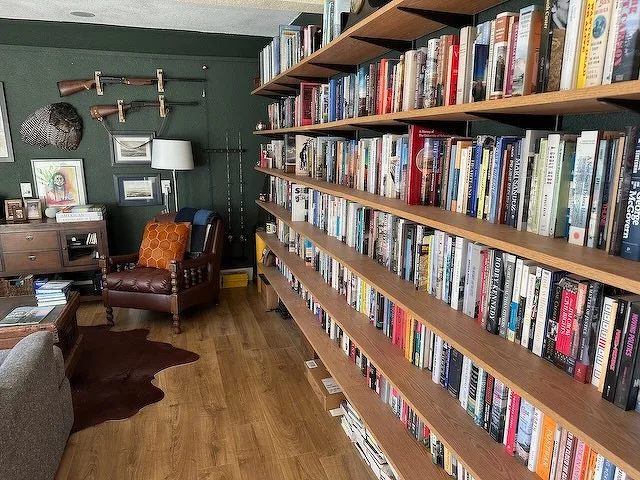
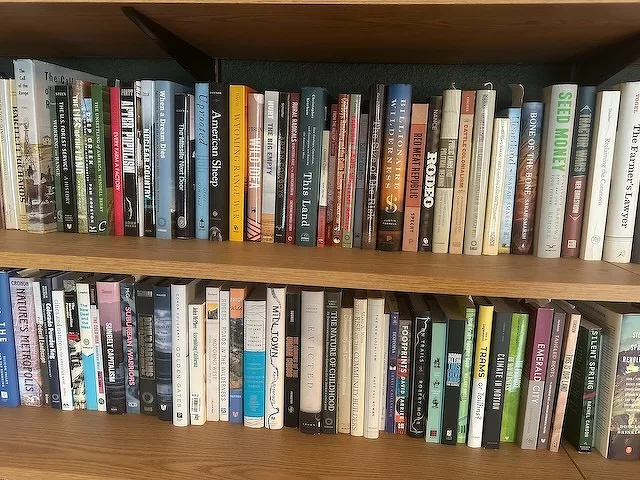
I’m in the process of slowly trying to inventory my library using LibraryThing (where I’ve been for twenty years!). I’m mostly focused on physical books—I don’t own many ebooks or audio books, the physical books are most near and dear to me. I estimate so far that my personal library runs around 800 books currently (on top of 50 or so ebooks and maybe 10 audiobooks). These books all reside in my home library, a space I renovated a couple of years ago to be my work-from-home space as well as my general writing studio that I refer to as the Bunkhouse.

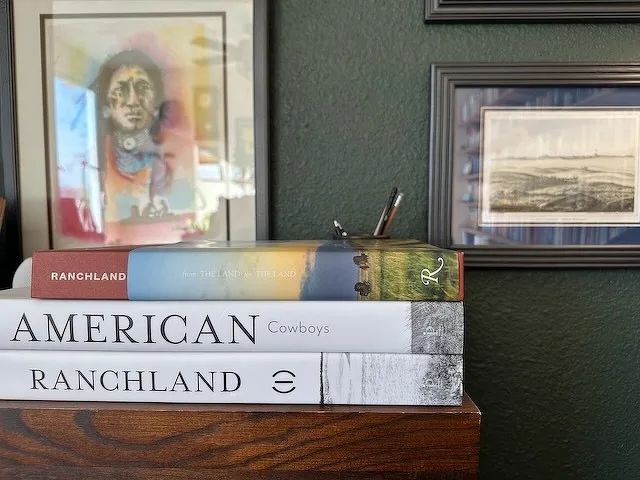
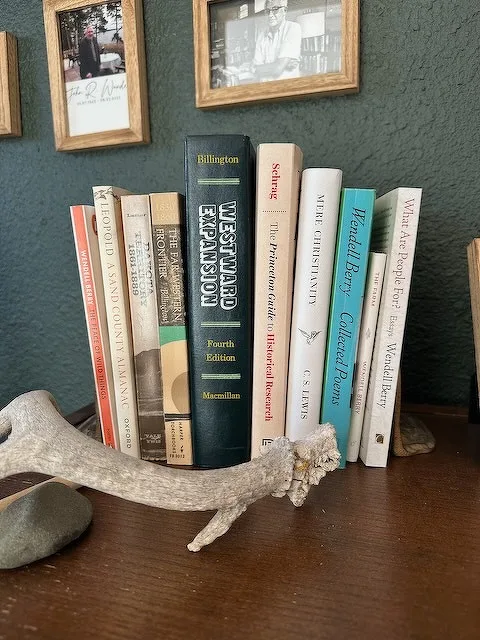
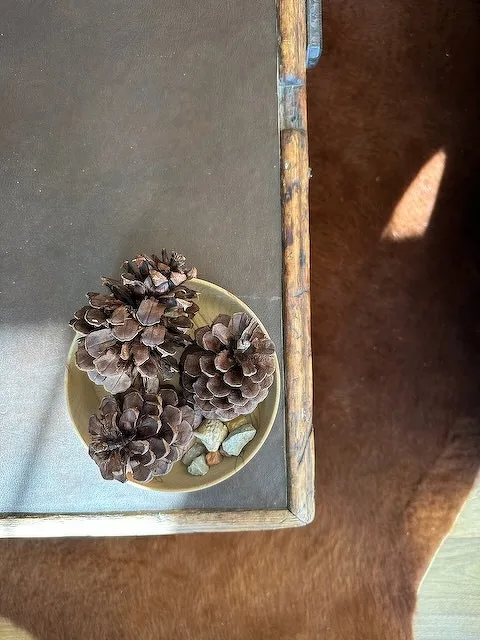
A wooden bookshelf is filled with a diverse collection of books on various topics.A cozy room features a large wall of bookshelves filled with books, a leather armchair with a pillow, and wall-mounted decorative items like rifles and framed art.A stack of books with titles related to American landscapes and cowboy culture is positioned on top of a wooden surface, accompanied by framed art and photographs in the background.A bookshelf displays a collection of books alongside an antler and a small stone, with framed photos on the wall behind.A small bowl containing pinecones and rocks is placed on a table with a warm brown surface.A wall-mounted display features rifles and fishing rods, alongside framed pictures and a floor lamp.A wooden plaque with three round meteorological instruments is mounted on a wall beneath a hanging horseshoe, next to a framed picture.A wall display features a wooden clock, two cowboy hats, a calendar, and several coiled ropes.

One of the things I like to see is see other people’s libraries and work spaces. I often clip these into Obsidian or Apple Notes for reference later on as a kind of “interior design” inspiration. I have lots of these: Cormac McCarthy, Wendell Berry, Candice Millard, David McCollough, Jamelle Bouie, Peter Heller, and many others. I think of these the same way we might look at architectural magazines or (my other favorite) wood shops (like Nick Offerman or Adam Savage): they’re creative spaces where people I admire do their work, and I’m always intrigued on how other creatives use their space.

Heading out to my work space is walking into my ideal library: the design, the book subjects, (the coffee), all tailored to my interests and needs.

Personal

“Fluent and Stranded”

Dave Friedman:

Two frontier AIs debated a strategic question and quickly slid from sensible analysis into confident, theatrical nonsense. The collapse revealed a hard limit of today’s large language models: they can interpolate beautifully, but they cannot build new world models.

. . .

The ending of the exchange felt like Waiting for Godot rewritten in transformer weights: circular, performative, drenched in the style of profundity but detached from any grounding. The models weren’t intentionally imitating Beckett. They arrived there naturally, because absurdist dialogue is what happens when linguistic engines exhaust their epistemic runway. Vladimir and Estragon talk in circles because they have nothing but the talking; the world outside the stage never materializes.

Artificial intelligence

Two Quotations on Interfaces

Amelia Wattenberger:

We’ve been successfully removing all friction from our apps – think about how effortless it is to scroll through a social feed. But is that what we want? Compare the feeling of doomscrolling to kneading dough, playing an instrument, sketching… these take effort, but they’re also deeply satisfying. When you strip away too much friction, meaning and satisfaction go with it.

The Resonant Computing Manifesto:

Great technology does more than solve problems. It weaves itself into the world we inhabit. At its best, it can expand our capacity, our connectedness, our sense of what’s possible. Technology can bring out the best in us. Our current technological landscape, however, does the opposite.

Tech life·Twoquotes

The Christmas Movie Rotation

Every year we have a rotation of Christmas movies that we watch this time of year. We’re kicked off with Klaus tonight, and still have more to go. These are, of course, a mix of things that we watch with the kids or just the adults.

In year’s past I tried the 1984 George Scott Christmas Carol, but it didn’t stick. I worked Die Hard in last year, I imagine that’ll be in for a re-watch this season as well.

Personal

Two Quotes on the Land

Aldo Leopold:

What more delightful avocation than to take a piece of land and by cautious experimentation to prove how it works. What more substantial service to conservation than to practice it on one’s own land?

Edward Abbey:

May your trails be crooked, winding, lonesome, dangerous, leading go the most amazing view. May your mountains rise into and above the clouds. It is not enough to fight for the land; it is even more important to enjoy it. While you can.

Twoquotes·Place·Re placing

Living in the News

Oliver Burkeman:

[V]arious acquaintances – and me too, in some ways – started doing what I called “living inside the news.” They seemed to view the world they accessed through news sites and social media as somehow more real than their immediate surroundings. The latter was a place they merely dropped into from time to time, before hurrying back to the main event.

[ . . . ]

Keeping your centre of gravity immediate and local is the opposite of all that. It means treating the world of national and international events as a place that you visit – to campaign or persuade, donate or volunteer, to do whatever you feel is demanded of you – and that you then return from, in order to gain perspective, and to spend time doing some of the other things a meaningful life is about.

This is why I’m trying to keep to news-resiliency: there’s too much national and geopolitical news, and too much of it I cannot even meaningfully act on (except in a few ways). It’s not to claim ignorance; rather, it’s to reclaim my attention. The whole point of the flurry of terrible news and decisions is to consume all of one’s time, energy, and attention. Don’t let them take it from you.

Personal

Newsletter

Occasional writing on the American West, agricultural history, and political culture.