Essay
Reflections on Becoming a Django Developer
Thoughts and experiences on becoming a Django developer.
We are in the process of wrapping up our first Django-based web application at RRCHNM and I thought it’d be interesting to make a few notes about my experience using Django. Just over a year ago we made a shift in our technical stack at RRCHNM that is now centralized around Javascript, Go, and Python. We use this stack for powering various things we work on:
- Go is primarily used for our data API for the data-driven historical research we do. It also powers our static site generator of choice, Hugo.
- As much as we’re able, we prefer to create static websites. They’re more sustainable, less complicated to build, and easy to deploy.
- Javascript enters the picture primarily as a tool for data visualizations: charts, maps, graphs, and other interactive visualizations we build are all powered by Javascript usually by leveraging either Observable Plot or D3.js.1
- Python serves two roles at the Center: as a tool of data analysis and visualization, but also for powering web applications that we build with Django.
Django has been the big shift: it became our go-to framework for building complex applications. There are a lot of reasons why Django has become such a useful tool for us:
- It comes built-in with its own admin interface, giving users a CMS-like experience right out of the box.
- We can take advantage of many of Python’s libraries for machine learning and computation.
- We have total control over the design of the project, allowing us to create projects that aren’t tied to a standard set of themes. In our case, we’ve adopted TailwindCSS for much of this work.
- Most significantly, we define our data models. We can craft a web application that is designed to fit the needs of a particular research project or question.
This last point is key. In practice, that gives us an incredible degree of creativity to shape web applications. Defining our models means shaping an application that fits historical data, as well as strongly typed data to ensure the kind of information we’re recording should be what we expect it to be. For example, imagine you are trying to build a map of historical actors. You might have a model that records a person, but also a location. You wouldn’t want to necessarily repeat that location information for each person if, say, two or more people come from the same place. In Django, we can set up foreign key relationships so we don’t have to worry about that.
class Person(models.Model):
    name = models.CharField()
    dob = models.DateField()
    dod = models.DateField()
    home = models.ForeignKey(Location)

class Location(models.Model):
    name = models.CharField()
    latitude = models.IntegerField()
    longitude = models.IntegerField()
While this is a simple example, the more complex things we can do with Django models means harnessing a great degree of flexibility for the kind of work we’d like a web application to do for us.
Loading data
One of the great challenges I ran into with this particular project (and, I’d chalk this up to my newness with Django) is getting data into the platform. Typically when we build these projects, my wish would be for most of the work to happen within the Django admin itself. But, there are good reasons why we’d want to load in data from some other source. As is pretty typical in almost any digital history project, a spreadsheet is a natural place to start when trying to collect information or build a dataset. So, there has to be some way to take a spreadsheet and get it into Django.
So far the way that work proceeds looks like this: The spreadsheet often serves as the first run at build the data model in Django. Because a project lead has already thought about the kinds of data they want to collect, and most certainly already has several rows of data in the sheet, that gives me a sense of the kinds of information they’re after. All of that serves as a terrific starting point for building out the models. It also serves to think about how relational data works across the project: if there are multiple mentions of a location, or sets of people, or organizations, all of those things become something we can—in a way—create a controlled vocabulary for. That allows us to ensure the data is consistent (you wouldn’t want typos in multiple latitude/longitude values for the same location) and also allows us to re-use data across an application (a person might get associated with a location, and another person, and a historical object, and an event).
Getting data in, I found, is not always easy. There are third party libraries for handling the importing and exporting of data (the most popular being django-import-export), but there are limitations: it couldn’t handle, for example, the automatic creation of people for each row of data the researcher had collected. I needed something that could do more than what the library could provide. Given the complexity of this data, though, it was quite tricky:
- I needed a way to create people in a People model, but if a person already existed I had to ensure they were not created again.
- I needed a way to create locations in a Location model, but again, if a location already existed we had to ensure it didn’t get created again.
- Each row in the spreadsheet represented a historical object, so each row had to create that object’s record in a PrimarySource model. Along the way, of course, we had to ensure that the PrimarySource also retained its relationship to a person.
- As is always the case when you work in spreadsheets, thare’s inconsistency in the data: typos, white spaces, incomplete dates, incomplete names, or other kinds of information. This is, always, the hardest part of doing digital history—handling data that is inconsistent or unknown. So, the script had to try and anticipate such problems and, if we could, correct them on the fly. Complicating this further is this wasn’t tidy data, so we had columns that repeated names or locations that all had to be dealt with consistently.
The resulting data loading script was something like 600 lines of Python code. It was a huge undertaking to get data in, and undoubtedly this process took me longer than almost anything else I did. I think one key takeway for me in this process was that when the data model gets defined we generate a new spreadsheet off of that model, and that is the spreadsheet that gets filled out.
And again, it’s important to note that I never designed this part of the project to be spreadsheet-driven. It was always the intended case that, eventually, the work of recording data and quality checks would all happen inside of Django’s admin interface. But the spreadsheets were a key way to get things going and had to be dealt with.
Building for users
Speaking of the admin interface, I also spent a decent amount of time thinking about the workflow process for users on the back-end of the project. As much as possible, I tried to reduce the friction of entering and checking information. There are some limitations here, and while it’s possible to override a whole lot of Django’s default admin views, more code means more complexity which means more challenges in sustainability, bug fixes, and tests. So, ideally, I wanted to stick as close to vanilla Django as I could.
This worked, I think, pretty well. For some of this interface it was quite simple: a Person would have forms for their name and so forth, and a dropdown to select the correct location that they were associated with. But other parts of this were more complicated: the historical objects themselves had several foreign key relationships across the database, and taking advantage of Django admin’s inlines became one way to try and keep things user friendly.
I also didn’t want to incorporate many third-party libraries into Django admin. In the earliest days of starting to learn Django I saw many a horror story of developers who had incorporated a third-party library, even if all it did was to change the look and feel of the admin panel, only to have that library abandoned down the line. Extracting a library from a customized admin interface seemed like a huge headache, and one I’d rather not have to tackle in the future.
Creating interfaces
The other part of the work with Django I came to really enjoy is Django’s templating system. We’re not using any big Javascript UI frameworks at RRCHNM (I was doing some work in Vue a while back, but I’ve since moved that to a simpler stack). The template system is phenominally good: you give Django a set of templates, tell it when and how to access those templates for different views (a table view of all the data in the database gets a different template than a person’s individual profile page, for example), create a template to handle all of the consistent UI elements (like headers, footers, navigation) that you can extend upon as necessary, and you’re good to go.
One thing I added to this was HTMX, which will give us Vue-like or React-like interactions without having to actually write any Javascript. Part of this feeds into my own desire to keep things as simple as we can. But it also seems, to me anyway, that HTMX has become a Django Way to Do Things. I’d been intrigued in other approaches like this (for example, Turbo for Ruby on Rails) and was really excited to learn about HTMX. In my case for this project, I had a data table with a filter to narrow down to locations or people. HTMX made creating and updating that table very simple and very fast.
I had the great pleasure of working with an excellent designer for this project. Incorporating her layout into the Django templates was a breeze: just plain ‘ol HTML with Django template tags as necessary. In this way it felt pretty similar to what we do with our Hugo sites: that form and content are held in separate places, and we can extend standard layouts for various pages on the site.
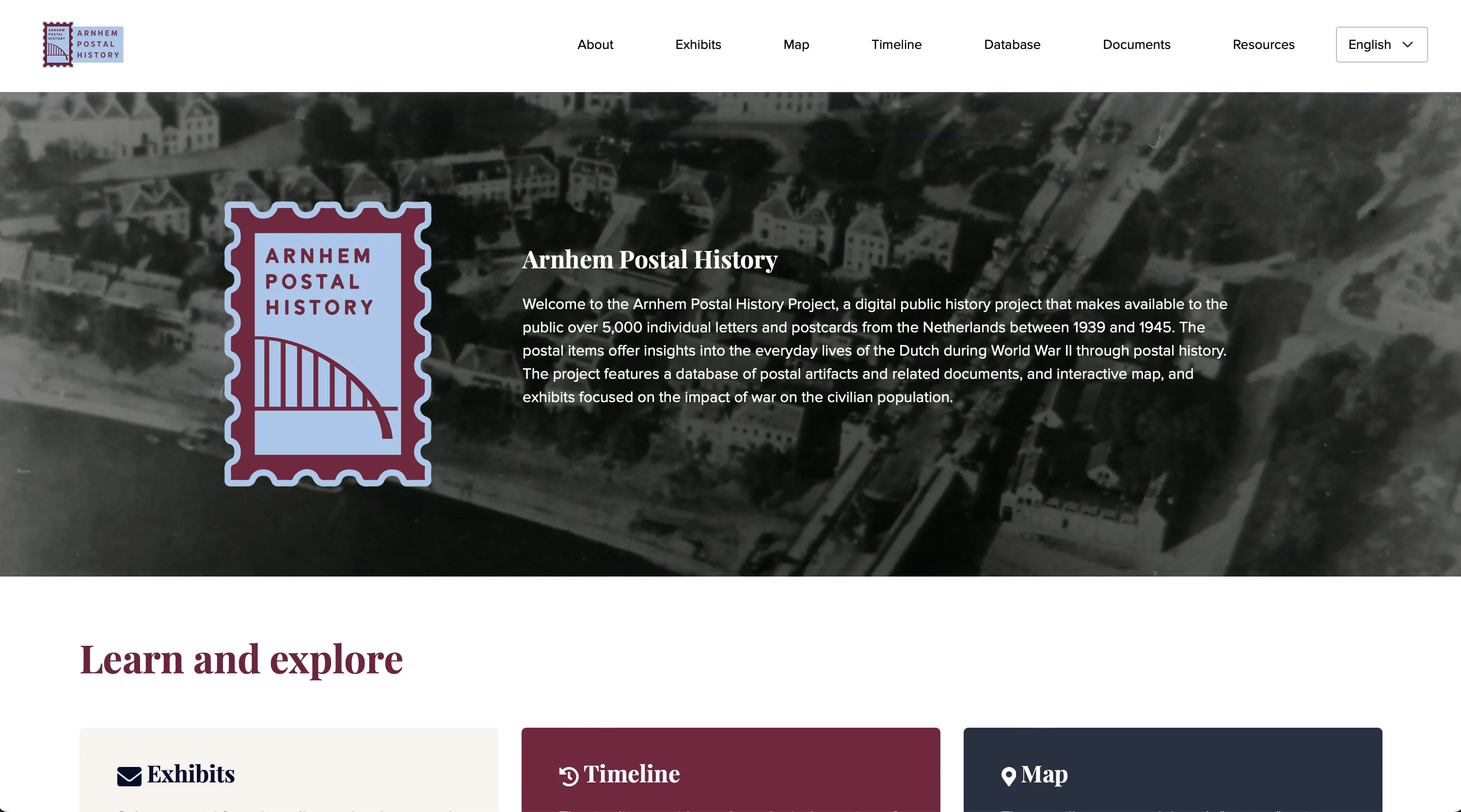
The Arnhem Postal History Project
So, what’s the take-away?
There were, admittedly, fits and starts in this project that I wish I could’ve resolved more quickly. But overall I’m happy with how the overall project has turned out. This was our first Django-driven project we’ve built at RRCHNM and the features of this one—a view of the database materials, historical documents, exhibits, and interactive map—all came together fairly quickly once the data was in place.
And this project is just one of several that are in the Django pipeline. Having wrestled with some complicated data, I also think I have a better sense of a data pipeline we can implement so we don’t get slowed down in that phase of the work (although it’s a near truism that the data work always takes longer than you anticipate). I’m excited about our ability to do creative digital history with this framework.
-
It just occurred to me that I’ve been using D3.js for over ten years. Wow. ↩︎