Developer Notes: A quick and dirty text diff
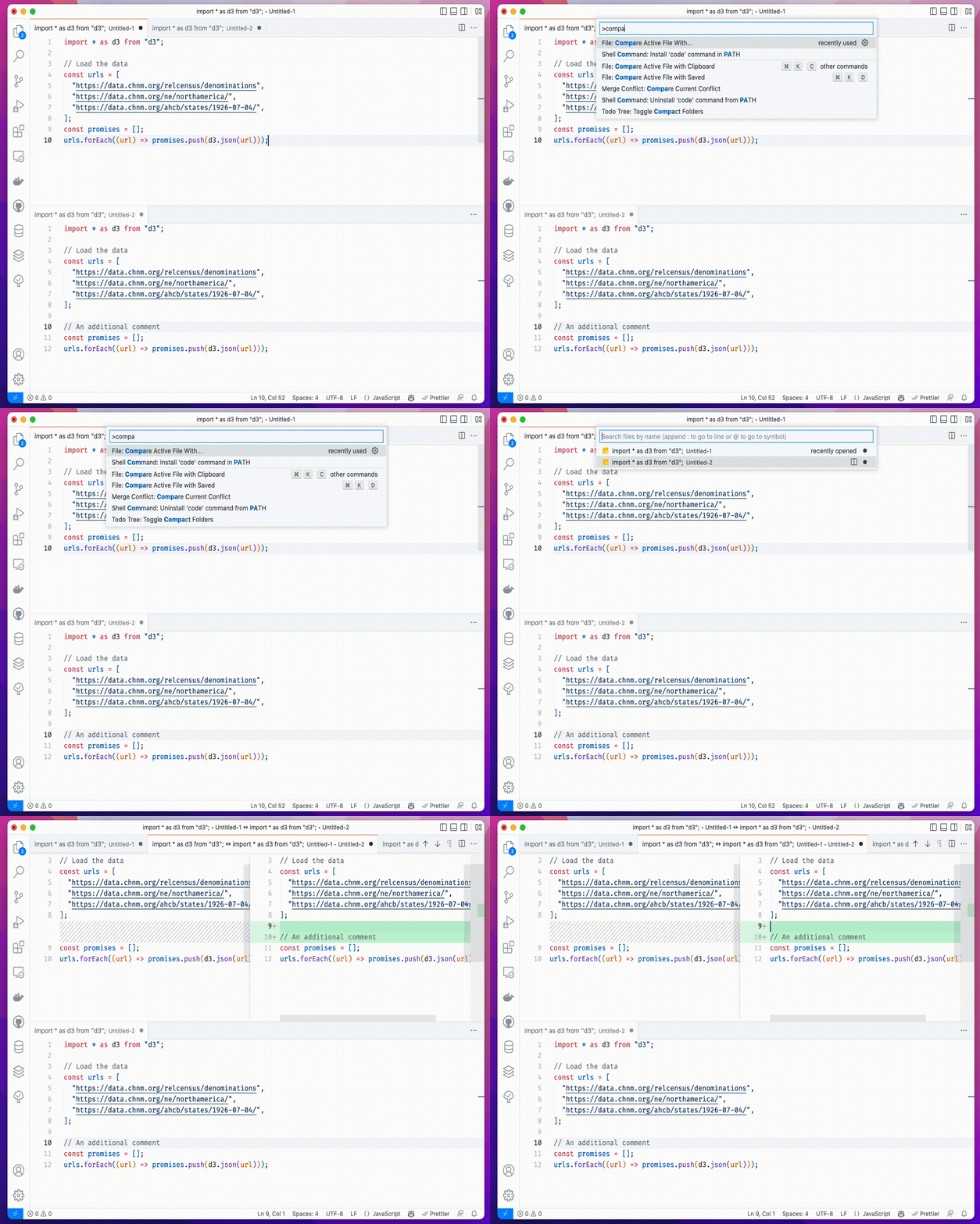
Sometimes it can be useful to do a quick comparison of text—whether that’s code, prose, or otherwise—and several ways to tackle the task. There are some online tools to do this, as well as command line tools (like the built-in diff tool or even vim -d file1.txt file2.txt). But it turns out, you can do this with VSCode without the need of an extension, even.
- Copy/paste to untitled document 1
- Copy/paste to untitled document 2
- Make sure your cursor is in the document you want to compare.
- CMD + Shift + P and select “Compare active file with…” and select document 2.